Offline Photo Album on an Android Phone
The aim: an offline, compact copy of 109GiB of photographs to carry with me on my Android phone.
Solution: a Makefile on my Linux computer; which uses ImageMagick to produce small, lower-quality versions of all my photographs. These use about 5% of the space (5.6GiB) compared to the originals, but still look fine on my phone.
- The directory with my original photographs is ~/photos.
- Make a directory that will be copied (and then synchronised) to the phone, I made ~/.toPhone: mkdir ~/.toPhone; cd ~/.toPhone
- Make a link to the original photographs: ln -s ~/photos Source
- Download the Makefile: wget http://matt.blissett.me.uk/apps/scripts/offline-photos-android-phone/Makefile
- Run Make, with the -j option set to the number of CPUs you have: nice -n 15 make -j 4
On the phone
You need some way to copy the small photos from the computer to the phone. I used Rsync Backup For Android (note this is "for advanced Linux/Unix users"). Set this up to copy ~/.toPhone from the computer to the phone.
I used QuickPic to view the photographs.
The Makefile
# Makefile downloaded from http://matt.blissett.me.uk/apps/scripts/offline-photos-android-phone/
#

PHOTOS = $(shell find -L Source/[12M]* -type f -name '*.jpg')
# Adjust this bit:       ^^^^^^^^^^^^^^^^^^^^^^^^^^^^^^^^^^^  to match all the photographs you want on the phone.

SHRUNK = $(patsubst Source/%.jpg, Albums/%.jpg, $(PHOTOS))

.PHONY: all
all: $(SHRUNK)

Albums/%.jpg: Source/%.jpg
	@mkdir -p "$(@D)"
	convert "$<" -resize '2000x2000>' -quality 40 "$@"
	touch -r "$<" "$@"
The Rsync configuration
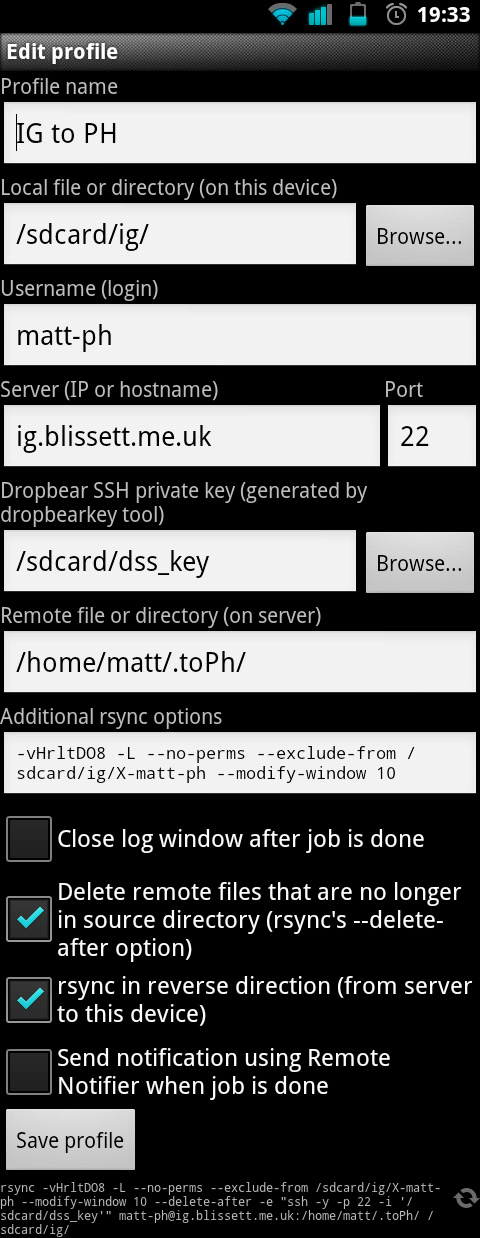 These are the additional rsync options I use: -vHrltDO8 -L --no-perms --exclude-from /sdcard/ig/X-matt-ph --modify-window 10 The exclude file contains a single line to prevent the Source directory being copied. Alternatively, remove the -L option and it won't be copied as it's a symlink. (I have symlinked music files which I want to copy.)


 This work by